|
|
|
|


KDE
Launcher
2
Son of Launch KDE 1.0
Your Mama'd be so proud ...sniff...
Home Site Map Recent Activity PM 8500 Project Downloads (NMS) Guest Book
If you don't know what KDE Launcher does you need to read its Requirements and What is KDE Launcher?
KDE Launcher 2 v2.1.3 is a Universal Binary
|
|
Download
KDE Launcher 2
by Clicking on the KDE Launcher Rocket!! |
KDE Launcher 2 v2.1.3 is now out - March 20th, 2007
This version is identical to v2.1.2 except it is a Universal Binary. It has also been tested on a Mac Book Pro running OS X 10.4.9.
KDE Launcher 2 v2.1.2 is now out - August 13th, 2005
I think this version fixes any remaining Tiger generated bugs, none of which were critical anyway. If this version is Ok for another few days I am going to post it as FINAL.
I updated the v2.1.2 build with some new insights I now have into some Tiger related AppleScript Studio quirks, and I upated the documentation withTiger details including some help installing KDE (by Fink) in Tiger. - August 18th, 2005
KDE and KDE Launcher Working in Tiger - August 8th, 2005
I had to compile from source from the unstable tree after having to update packags from CVS just to find mention of KDE but it worked. More importantly KDE Launcher worked too. I have not done much testing, just ran it and saw it worked, but it is unlikely to have any problems.
If you download KDE Launcher and KDE Launcher itself
will not start in Tiger (icon just bounces a couple of times
then
dissappears) please let me know. This is an issue relating to
Tiger,
Xcode 2 and compile profiles which seems to show up on
machines without
the developer tools. If the posted version has the problem I
need to
know since every machine I have access to has the developer
tools on
it.
KDE
Launcher 2.1.1 beta is now
out (fixes
small
Tiger bug)
KDE Launcher is now at version 2.1.1. The only change is to address the startup error that occurs when KDE Launcher is started in Tiger. Otherwise KDE Launcher appears to work fine.
KDE
Launcher 2.1 beta is Now
Available
Version
2.1 tries
to address issues with 2.0-2.01rd along with adding some
obvious
missing
options.
In general this version
largely re-works the launch shell scripts to try and improve
function
and
consistency and also cleans up the user interface. Some
experimental
options
are added, some partially tested, like restoring the original
.xinitrc
file,
and some totally untested, like redirecting the KDE path to
use KDE
installs
by
other than Fink.
Mostly
however
this version is concerned with the integrity of the user's
system, both in
reality and in their perception, and tries to address recovery
from the
state
any settings
might be left in if KDE Launcher just DOES NOT WORK for some
user,
crashes, and leaves a user who has no idea how
to revert his .xinitrc file back, or what
full screen
X11 looks like. Unwarned X11's full screen sans
applications
can scare users. Some can even think their system is hosed. To
limit
user
confusion this version adds reasonably good tracking of
what was restored and missed so KDE Launcher can complete any
missed or
partial settings restorations the next run.
It
also enhances the custom .xinitrc file to prevent users from
thinking
they are
trapped in an odd crash if they see full screen X11 but don't
realize what they are seeing. I added (very rough) code to the
custom
.xinitrc to have a retained one "know" when it is being used
external
to KDE
Launcher, automatically come out of full screen X11, inform
the user of
what is happening and how to get out of full screen manually,
plus
provide
options to revert to the original .xinitrc file that was
present
when KDE
Launcher first ran, or continue starting.
The
troubleshooting
section in the User's Guide is improved.
In general the Documentation
is not much different from that in 2.01rd.
If
an option
works or doesn't work for you, please give me some details
of your setup and
LET ME KNOW!.
Version
2.01 beta released
4/9/05.
It
is currently beta but
seems to be working
well.
It is currently at version
2.01 with the changes being an improved icon for X11-KDE (I
thought the
other
one was hard to read from the Dock) and continued improvements
to the
documentation, which is still rough draft and full of typos. This
version seems stable by report so
I am going to leave it until version 2.1.
|
Prior X11-KDE Icon |
New X11-KDE Icon |


Hey, I never claimed to be an artist!
Version 2.0 beta released 4/7/05
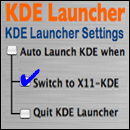
I tried to address several issues with this version. Firstly I tightened up how it handles varied or odd configurations to hopefully maintain function over a wider variety of system and minimize the "logout" crashes, although I personally cannot reproduce them. There are now two different options for how KDE Launcher sets up and runs KDE in case one gives problems. The first is the original way Launch KDE did it, and the second a newer more "correct" way that is possible now that KDE is getting more polished (on OS X). I also added a GUI to allow for some configuration options and finally figured out how to avoid the KDE menu bar being randomly offset (it ain't random). Lastly I gave the dedicated temporary copy of X11 that KDE Launcher makes its own icon so it is not so damned ugly in the Dock.
I am working on adding support for other KDE installs, which should be trivial except I don't have them installed. I am also part-way through adding XDarwin support.
KDE
Launcher's Requirements
KDE
Launcher is not KDE or X11.
It is only a configuration
and startup utility for
them. Therefore in order to run it needs to have those already
installed. I use
Apple's
X11 and Fink so that is what I created this to work with.
The general requirements are:
- Apple Macintosh OS X 10.3 or 10.4
- Apple's X11 (an optional install on the 10.3/10.4 disks)
- Fink (free Unix software package manager for OS X)
- KDE (installed by Fink)
I
am currently adding or looking to add wider support, which
should be easy. I am hoping to have KDE Launcher use the
XDarwin
application or
the X11 application depending on which the user has. I also
suspect
other
installs of KDE would work as well but I have not added an
option to
direct KDE
Launcher to look outside of the Fink default directory of
/sw/bin.
What is KDE Launcher?
KDE Launcher is an AppleScript Studio application that starts a Fink install of KDE with functional settings that actually work for OS X without changing all X11's configurations so X11 works poorly for everything else. It also runs KDE in a separate and distinct instance of X11 allowing the user to run KDE in an optimized environment using its window manager and with its own unique (if ugly) Dock icon, while simultaneously running other X11 applications in their regular Apple X11 using Apple's quartz-wm for its Aqua look and feel and better speed and with that X11 identified via the standard Apple X11 Dock icon.
Why I
wrote KDE Launcher?
When
I was first playing with Apple's X11 and KDE I noticed
that KDE ran like a dog (that would be, it was unusable)
with its
default
behavior of using Apple's X11 window manager, but it did
fine running its own
window manager kwin. Figuring out how to get KDE to
cooperate and do
this was a
pain. I knew that X11 and Unix experts do this stuff all the
time, but
each
time I wanted to do it I had to spend two hours looking up
all the
commands and
figuring out how to modify the X11 and KDE startup scripts,
and even
then it
didn't do what it was supposed to do without me manually
forcing changing of
the window managers. The result was delicate (easily messed
up by
updates), not
very portable, and would not allow me to run KDE and run
Apple's X11 using its
native window manager at the same time. Just to go back and
forth
between
running them at different times I had to rotate out some of
the
scripts. In the
end I wrote an AppleScript (that became Launch KDE 1.0) to
automate
this
reliably (so I didn't have to figure it out each time) and
safely without any
requirement for modifying startkde, Apple's X11, or
.xinitrc. This AppleScript
also allowed me to use KDE like a regular separate program
seemingly
distinct
from Apple's X11 application.
Download
KDE Launcher 2 v2.1.3
Download from here
Older versions can be found in the downloads folder.
Contact
Information
Or visit my website at
Sliced
Apple
...
Legacy the Verbose Way...
Part
of the Collection
From
NMS
Software
Software that Helps You Work Harder
Counter Display Suspended by Page

Created
04/08/05
Modified 05/07/05 - Added v2.1.1
Modified 06/17/05 - Added counter, mintor HTML/font glitches
Modified 07/17/05 - Add Page Counter
Modified 08/09/05 - Updated to reflect KDE and KDE Launcher now working in Tiger
Modified 08/13/05 - KDE Launcher 2.1.2 posted
Modified 08/19/05 - KDE Launcher 2.1.2 (revised to build 236) posted
Modified 03/20/07 - KDE Launcher 2.1.3 (build 237) posted